
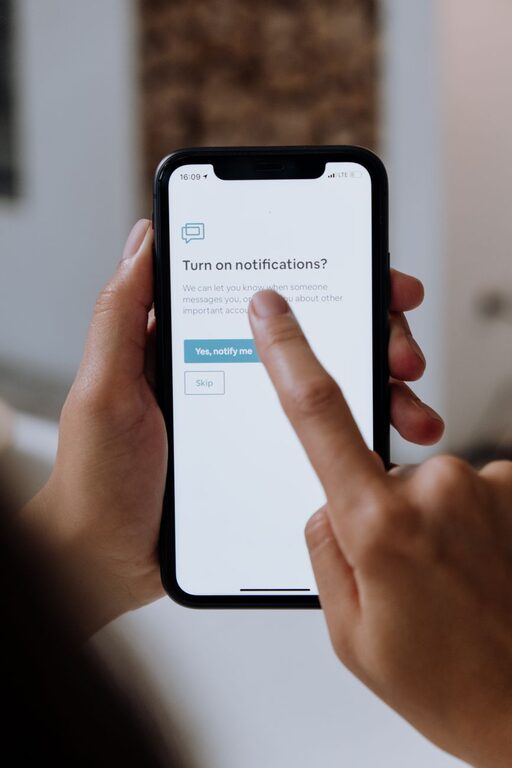
In our digital world, notifications are constant companions, alerting us to emails, messages, social media updates, and app reminders. While these can be helpful, they often interrupt our focus and increase stress. Learning to set clear boundaries with notifications is essential for maintaining productivity and personal well-being.
In this post, we’ll explore practical tips to help you manage your notifications effectively and take control of your time.
Why Setting Boundaries with Notifications Matters
Notifications are designed to grab our attention instantly. Unfortunately, this can disrupt important tasks and fragment our concentration. When notifications go unchecked, they may:
– Create a feeling of being overwhelmed
– Interrupt deep work or creative thinking
– Increase stress by causing constant distractions
– Make it difficult to unplug during personal time
By setting boundaries with notifications, you can create an environment that supports focus, reduces stress, and improves your overall quality of life.
Assess Your Current Notification Habits
Before making changes, it helps to understand your current notification patterns. Consider:
– Which apps or devices send the most notifications?
– How often do notifications interrupt your work or downtime?
– Do you check your phone or computer immediately after each alert?
– Which notifications are truly important and which are unnecessary?
Understanding your habits provides a foundation for setting intentional limits.
Practical Tips for Managing Notifications
Here are several strategies you can implement to regain control over your notifications:
1. Customize Notification Settings
Most devices and apps allow customization of notification preferences. You can:
– Turn off notifications for non-essential apps
– Choose less intrusive alert types, like badges instead of sounds
– Limit notifications to only certain contacts or groups
Regularly review and update these settings to match your current needs.
2. Use “Do Not Disturb” Modes
“Do Not Disturb” (DND) settings on phones, tablets, and computers allow you to silence notifications temporarily. You can:
– Schedule DND during work hours, meetings, or sleep
– Allow calls or messages from important contacts only
– Enable DND during specific activities such as exercise or family time
This helps you focus without completely disconnecting.
3. Set Specific Times to Check Notifications
Instead of responding immediately to every alert, designate certain times of the day to review notifications, such as:
– Once every hour
– At the top of each work block
– During breaks or after completing a task
Batch-processing notifications reduces distraction and improves focus.
4. Prioritize Notifications by Importance
Not all notifications require immediate attention. Consider:
– Marking urgent contacts or apps as “priority” to allow alerts
– Ignoring or disabling notifications from less critical sources
– Using app settings to filter or group notifications
This ensures you respond to what matters most without constant interruptions.
5. Silence Social Media and Promotional Alerts
Social media and marketing notifications are often non-urgent. You can:
– Mute or disable notifications from social platforms during work hours
– Unsubscribe from promotional emails or app alerts
– Use tools or apps that limit social media usage
Reducing these alerts helps minimize distractions and information overload.
6. Turn Off Notifications at Night
To improve sleep quality, it’s important to create a quiet environment free from alerts. You can:
– Enable nighttime DND or sleep mode on devices
– Charge your phone away from your bed
– Avoid checking notifications right before going to sleep
This supports rest and a healthy nighttime routine.
7. Use Notification Management Apps
Several apps are designed to help manage and organize notifications. Features may include:
– Snoozing notifications until a later time
– Summarizing notifications in batches
– Providing analytics on notification frequency
Explore options that fit your device and lifestyle.
8. Communicate Your Notification Preferences
Let friends, family, and colleagues know about your notification boundaries. For example:
– Inform them of your “quiet hours” when you won’t respond immediately
– Ask contacts to use urgent calls or messages only when necessary
– Set expectations about your availability online
Clear communication supports your boundaries and reduces misunderstandings.
Creating a Notification Routine That Works
To maintain these boundaries, consider establishing a daily routine:
– Start your day by reviewing critical notifications first
– Block focused work time with DND enabled
– Take breaks where you check notifications and respond as needed
– Wind down in the evening by turning off alerts and devices
Consistency helps train your brain to expect notification-free focus periods and improves productivity.
Benefits of Setting Notification Boundaries
When you manage notifications thoughtfully, you may notice:
– Increased concentration and efficiency
– Reduced stress and anxiety
– Better work-life balance and downtime quality
– Improved sleep and restfulness
– More mindful and intentional technology use
These positive changes contribute to overall health and happiness.
Conclusion
Setting boundaries with notifications isn’t about completely disconnecting, but about choosing when and how to engage. By customizing settings, using Do Not Disturb features, scheduling check-ins, and communicating preferences, you can create a balanced digital environment that supports your goals and well-being.
Take some time today to assess your notifications and try a few of these tips. Over time, you’ll find it easier to focus, relax, and enjoy your time — both online and offline.