
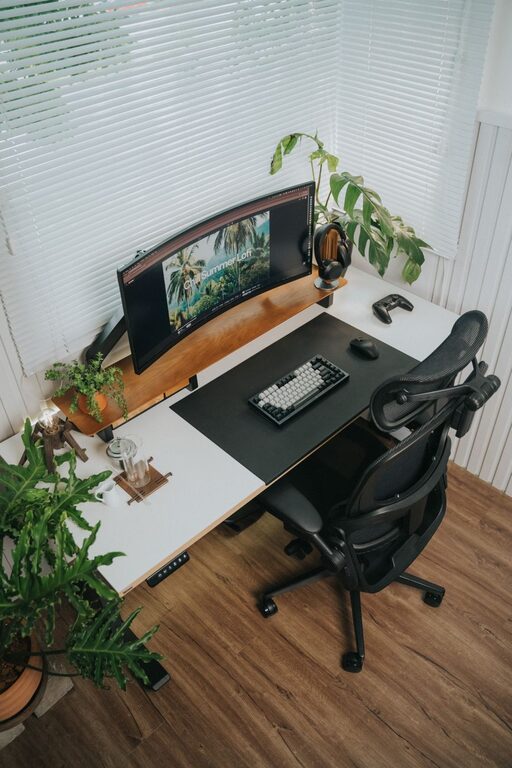
Creating a desk setup that promotes focus and comfort is essential whether you work from home or in an office. A well-organized, ergonomic workspace can improve productivity, reduce physical strain, and enhance your overall work experience. In this post, we’ll explore practical tips to help you design a desk setup tailored to your needs.
Why a Good Desk Setup Matters
Your desk setup affects more than just the way your workspace looks. It impacts your posture, how easily you can concentrate, and even your energy levels throughout the day. An uncomfortable or cluttered setup can lead to distractions, fatigue, and even physical discomfort like back or neck pain. By optimizing your desk for both comfort and focus, you create a supportive environment that encourages productivity and well-being.
Choosing the Right Desk and Chair
Desk Height and Size
Your desk should be the right height for you to maintain a natural posture. Ideally, when seated, your elbows should be at about a 90-degree angle when typing or writing. Adjustable desks are a great option because they allow you to switch between sitting and standing positions, which can help reduce fatigue.
Make sure the desk surface is large enough to hold your essentials without feeling crowded. Ample space helps you stay organized and minimizes distractions.
Ergonomic Chair
Invest in a chair that supports your lower back and promotes good posture. Look for adjustable features such as seat height, backrest angle, and lumbar support. Your feet should rest flat on the floor or on a footrest, with your thighs parallel to the ground.
Organizing Your Desk for Focus
Declutter Regularly
A tidy workspace reduces distractions and makes it easier to find what you need. Keep only the items you use daily on your desk. Store other supplies out of sight but within reach.
Use Storage Solutions
Drawers, shelves, and desk organizers can help you keep paperwork, stationery, and gadgets in order. Labeling containers or folders adds an extra layer of organization.
Position Tools Within Reach
Arrange your most-used items—like your computer, phone, and notepad—within arm’s reach to avoid unnecessary stretching or breaking your concentration.
Enhancing Comfort and Ergonomics
Screen Placement
Position your monitor so that the top of the screen is at or slightly below eye level. Your screen should be about an arm’s length away from your eyes. This placement helps reduce eye strain and encourages a relaxed neck posture.
Keyboard and Mouse Setup
Keep your keyboard and mouse close enough so your arms remain relaxed. Wrist rests can provide support, and a split keyboard may be beneficial if you experience discomfort.
Lighting
Good lighting reduces eye strain and creates a welcoming workspace. Natural light is ideal, so place your desk near a window if possible. Use adjustable lamps with soft, diffused light for darker areas or evening work sessions.
Adding Personal Touches
While focus is important, adding a few personal touches can make your workspace enjoyable and motivating.
– Plants: Small plants can improve air quality and add a calming presence.
– Photos or Art: Personal images or artwork can boost mood but keep them minimal to avoid clutter.
– Inspirational Items: A favorite quote or a stylish calendar can provide gentle reminders and encouragement.
Taking Breaks and Changing Positions
No desk setup can replace the benefits of movement. Use your setup to encourage breaks and posture changes.
– Consider a sit-stand desk to alternate positions.
– Set reminders to stretch or walk every hour.
– Use a comfortable chair that supports you when sitting.
Cable Management
Cables can quickly become a visual distraction and create clutter. Use cable clips, sleeves, or under-desk trays to keep cords organized and out of sight.
Final Thoughts
A desk setup designed for focus and comfort combines ergonomic principles with organization and personal touches. Start with your chair and desk, then arrange your tools and accessories to minimize distractions and physical strain. Regularly maintain your space and remember to move throughout the day. With these tips, you’ll create an environment that supports productivity and well-being.
By prioritizing comfort and clarity in your workspace, you’ll be better equipped to concentrate, work efficiently, and enjoy your day.